%20(4)_edited.png)
%20(4)_edited_edited.png)
%20(4)_edited_edited.png)
.jpg)
%20(1).jpg)
Going far beyond conventional practice software, the PRO program by GTR (Golf Training Revolution) is a
premium lineup meticulously optimized to deliver precise data analysis and the most realistic golf experience for professionals and advanced players.
Going far beyond conventional practice software,
the PRO program by GTR (Golf Training Revolution) is a
premium lineup meticulously optimized to deliver precise data analysis and the most realistic golf experience for professionals and advanced players.

Practice Mode


Freely choose between Practice Mode and Game Mode.
Please select a program : PRO, KIDS, or PARK.
Practice Mode : Freely choose between the Driving Range and various practice games.


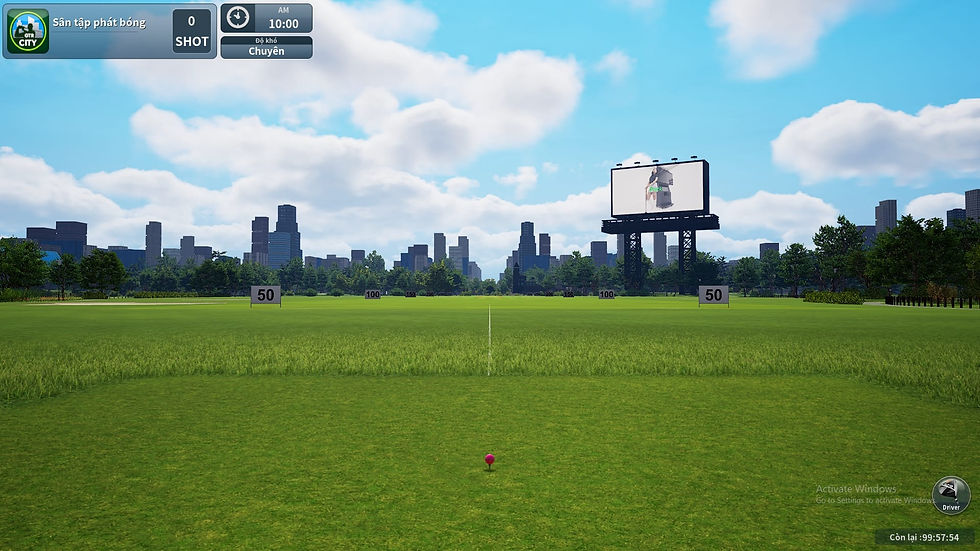
Please select your preferred driving range.
Please select a program : PRO, KIDS, or PARK.
Advanced Driving Range Settings
Practice Game Screen
Practice Mode : Freely choose between the Driving Range and various practice games.
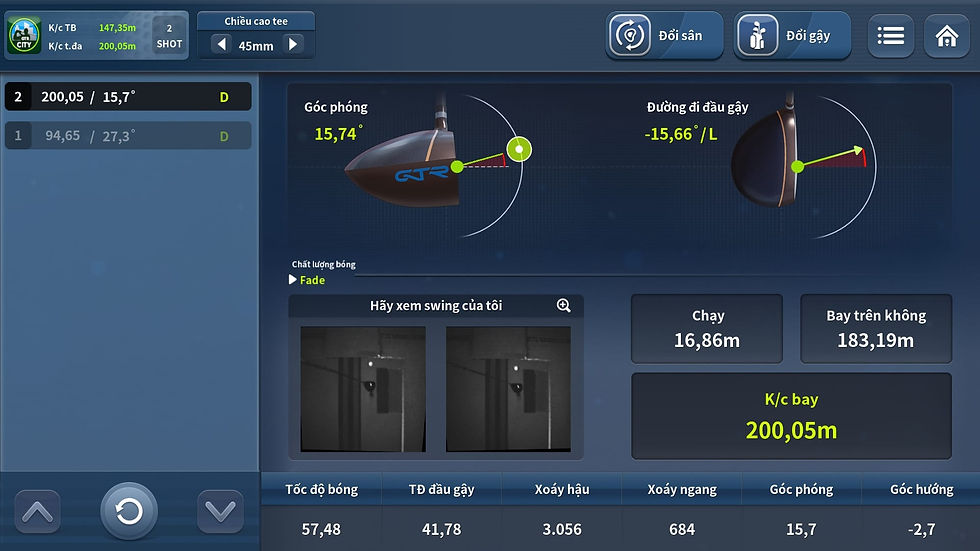

Swing Motion Analysis Screen : Review camera-recorded
swing footage and utilize advanced drawing tools to precisely analyze your posture.

Instant Shot Analysis Screen : Intuitively analyzing accurate data—including distance, speed, and trajectory—immediately after a driver shot in GTR Practice Mode.
GTR Practice Mode : Shot Data Statistics Screen —
Quickly review and compare trajectory distributions,
shot shapes, and detailed shot-by-shot data.
Swing Motion Analysis Screen : Review camera-recorded swing footage and utilize advanced drawing tools to precisely analyze your posture.
GTR Practice Mode : Shot Data Statistics Screen — Quickly review and compare trajectory distributions, shot shapes, and detailed shot-by-shot data.
Instant Shot Analysis Screen : Intuitively analyzing
accurate data—including distance, speed, and trajectory
—immediately after a driver shot in GTR Practice Mode.
Gameplay Screen (Unreal Engine 5) : As the pinnacle of
graphic fidelity realized through Unreal Engine 5, it
flawlessly and vividly recreates every single stunning detail
of famous real-world golf courses right on the screen.
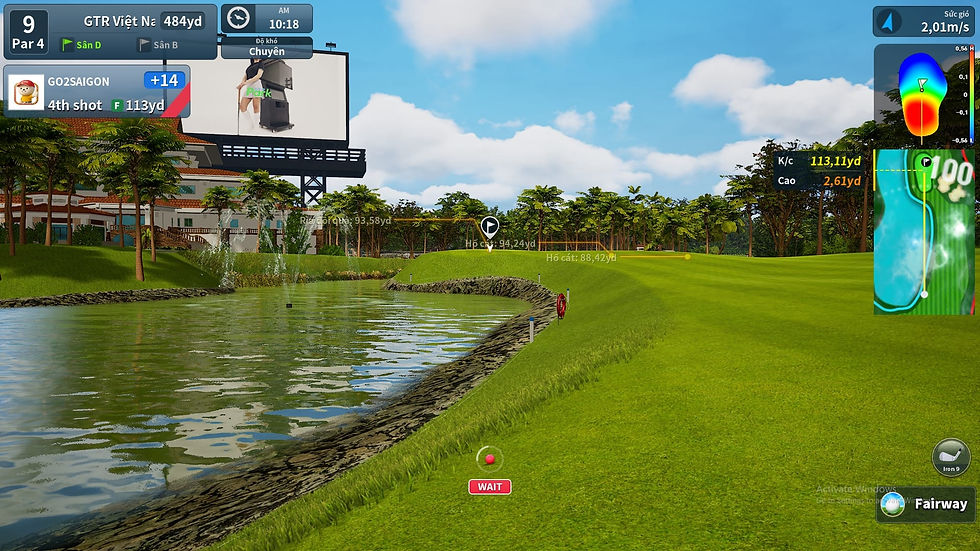
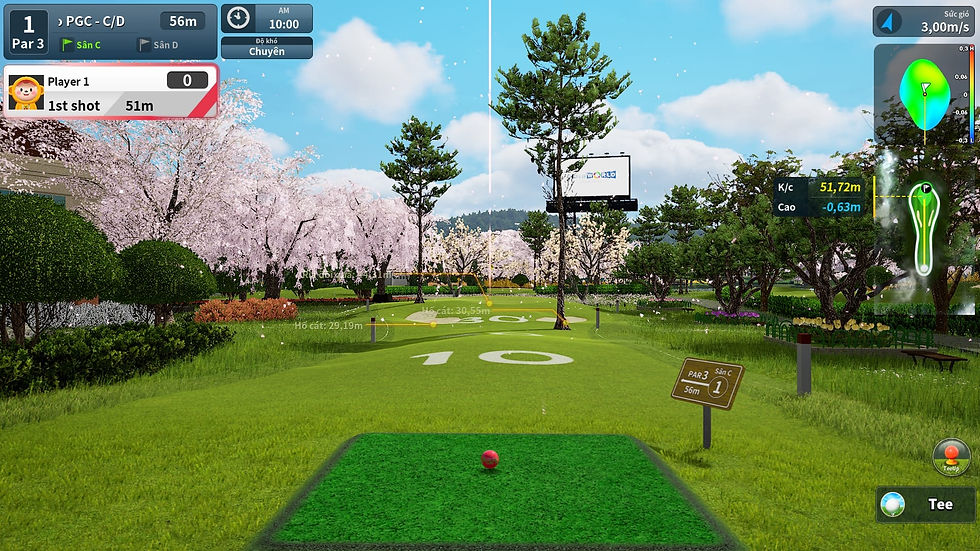
Real Gameplay Screen : A live round display on the golf simulator featuring Unreal Engine 5's lifelike graphics, providing real-time data tracking such as shot distance,
an interactive mini-map, and live wind conditions.
Room Mode
Green Putting Alignment View : Displays a detailed
terrain grid and actual elevation changes, along with
comprehensive guidance on aiming direction and
optimal ball speed provided by a virtual caddie.
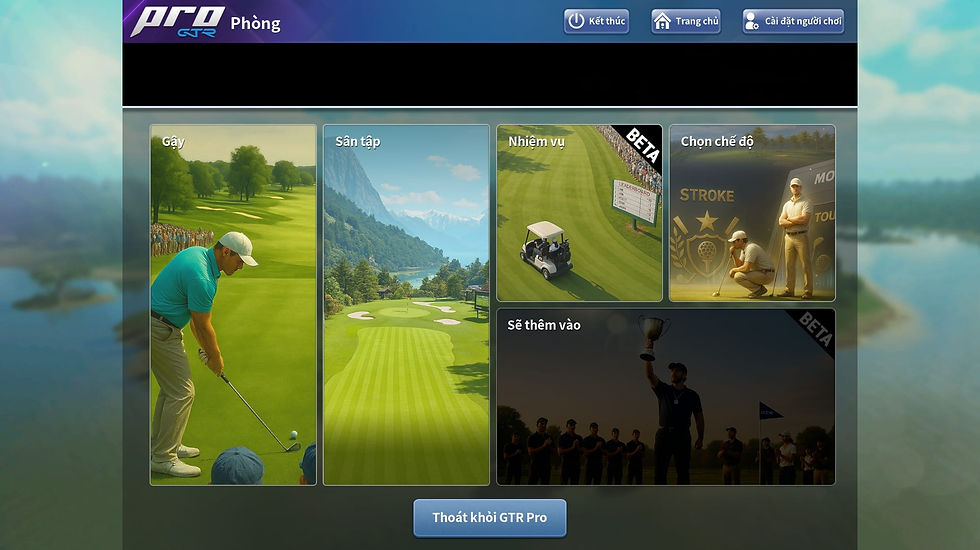
Please select a program : PRO, KIDS, or PARK.
Freely choose between Practice Mode and Game Mode.
Freely choose between Practice Mode and Game Mode.
Room Mode : A sophisticated social space where up to six players can choose between 9 or 18 holes and enjoy a variety of engaging game modes together.
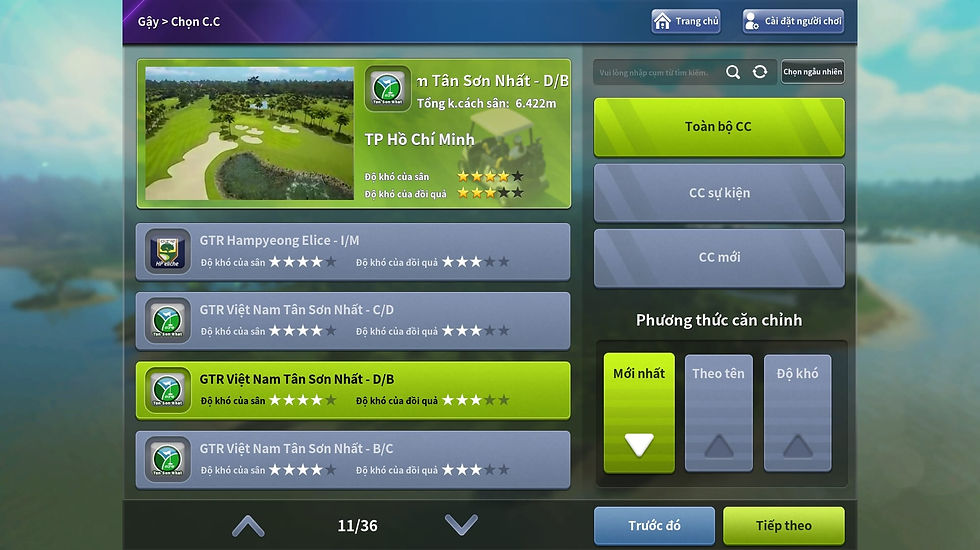

Please select a program : PRO, KIDS, or PARK.
Golf Course Selection : Freely choose and experience prestigious golf courses across Korea, Japan, and Vietnam.
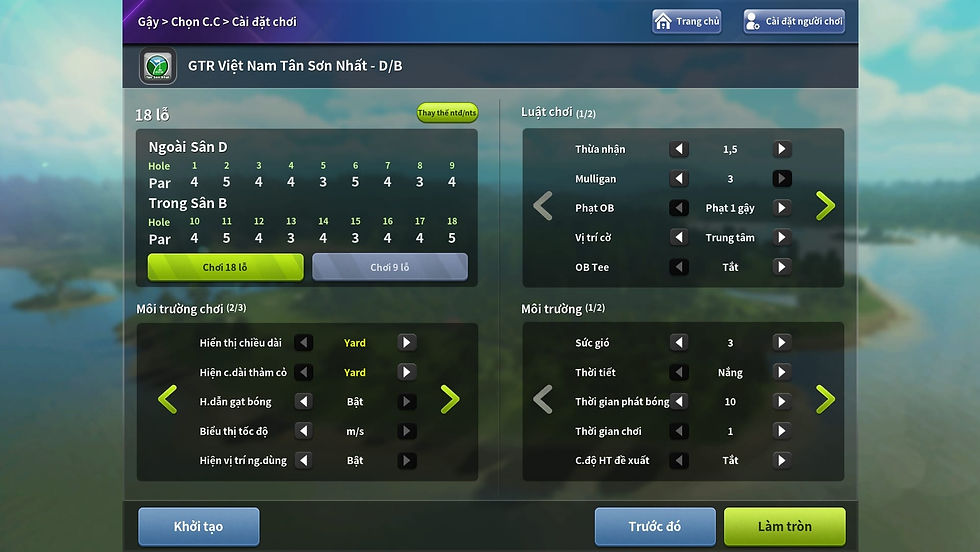
Detailed Game Settings : Freely customize specific options, such as distance units and speed displays, to perfectly suit your personal preferences.
Gameplay Screen (Unreal Engine 5): As the pinnacle of graphic fidelity realized through Unreal Engine 5, it flawlessly and vividly recreates every single stunning detail of famous real-world golf courses right on the screen.
In-Game Control Menu : The golf simulator's dedicated in-
game menu screen, enabling players to quickly access
essential assistance features such as game settings,
camera view toggles, and mulligans.


Celebration Screen : Triggered when the ball enters the Concede Zone to successfully record a par and close out the hole, this screen displays dynamic celebratory effects alongside a comprehensive analysis of your shot data.
In-Game Control Menu : The golf simulator's dedicated in-game menu screen, enabling players to quickly access essential assistance features such as game settings, camera view toggles, and mulligans.
Real Gameplay Screen : A live round display on the golf simulator featuring Unreal Engine 5's lifelike graphics, providing real-time data tracking such as shot distance, an interactive mini-map, and live wind conditions.
Green Putting Alignment View : Displays a detailed terrain grid and actual elevation changes, along with comprehensive guidance on aiming direction and optimal ball speed provided by a virtual caddie.


Celebration Screen : Triggered when the ball enters the Concede Zone to successfully record a par and close out the hole, this screen displays dynamic celebratory effects alongside a comprehensive analysis of your shot data.
Through the scorecard, you can check your scores and
access a variety of detailed performance metrics.
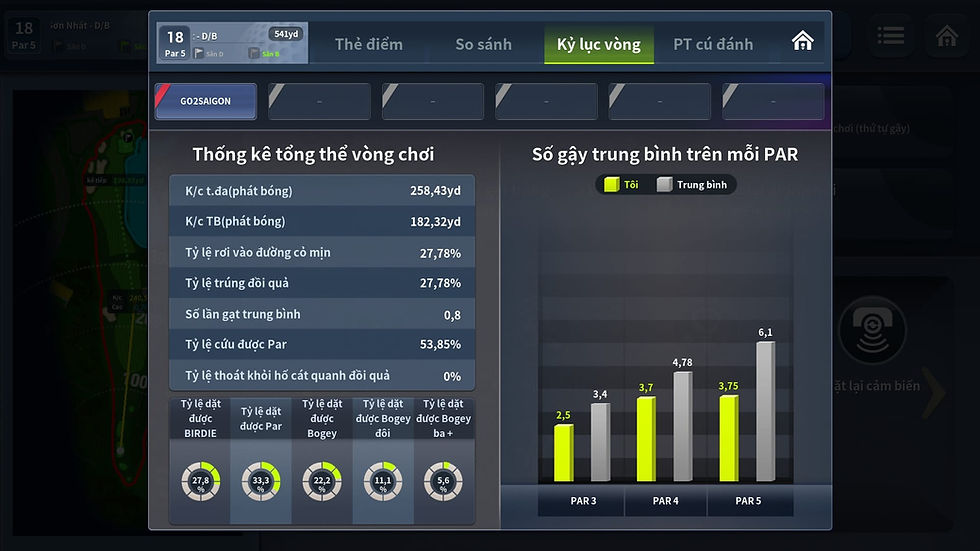
Round Statistics Screen : An in-depth analysis of gameplay
data—including tee shot distance, fairway accuracy, and total
putts—presented through highly intuitive graphical charts.
Round Statistics Screen : An in-depth analysis of
gameplay data—including tee shot distance, fairway
accuracy, and total putts—presented through highly
intuitive graphical charts.
.jpg)
%20(1).jpg)
GTR Kids Golf is a premium screen golf system designed exclusively for children, making golf a fun, game-like experience through charming,
kid-friendly graphics and a variety of engaging mini-games. Equipped with customized safety gear and high-precision sensors,
the system accurately analyzes swing motions. Additionally, practice data seamlessly syncs with a dedicated app,
allowing parents to effortlessly track their child's progress and growth.
GTR Kids Golf là hệ thống golf màn hình dành riêng cho trẻ em, giúp các bé học golf một cách vui vẻ
như một trò chơi thông qua các mini game đa dạng và đồ họa dễ thương phù hợp với lứa tuổi.
Hệ thống sở hữu các thiết bị an toàn được thiết kế riêng cho trẻ em cùng cảm biến chính xác giúp phân tích cú swing một cách chuẩn xác,
đồng thời dữ liệu luyện tập cũng được liên kết với ứng dụng để phụ huynh có thể dễ dàng theo dõi quá trình phát triển của con mình.
GTR Kids Golf is a premium screen golf system designed
exclusively for children, making golf a fun, game-like
experience through charming, kid-friendly graphics and a
variety of engaging mini-games.
Equipped with customized safety gear and high-precision
sensors, the system accurately analyzes swing motions.
Additionally, practice data seamlessly syncs with a
dedicated app, allowing parents to effortlessly track their
child's progress and growth.

Practice & Room Mode


Freely choose between Practice Mode and Game Mode.
Please select a program : PRO, KIDS, or PARK.
Practice Mode : Freely choose between the driving range and a variety of engaging practice games.


Please select a driving range.
Detailed Range Settings
Practice Game Screen
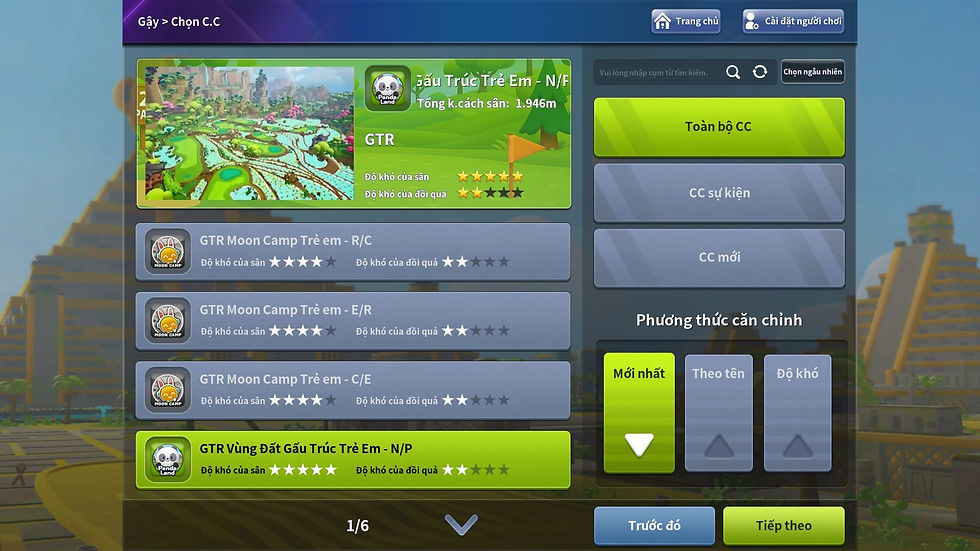


Please select a golf course.
You can fully customize your experience with a wide range of detailed game settings.
GTR Kids Game Screen : Features charming, kid-favorite characters and delightful background music that stand out.
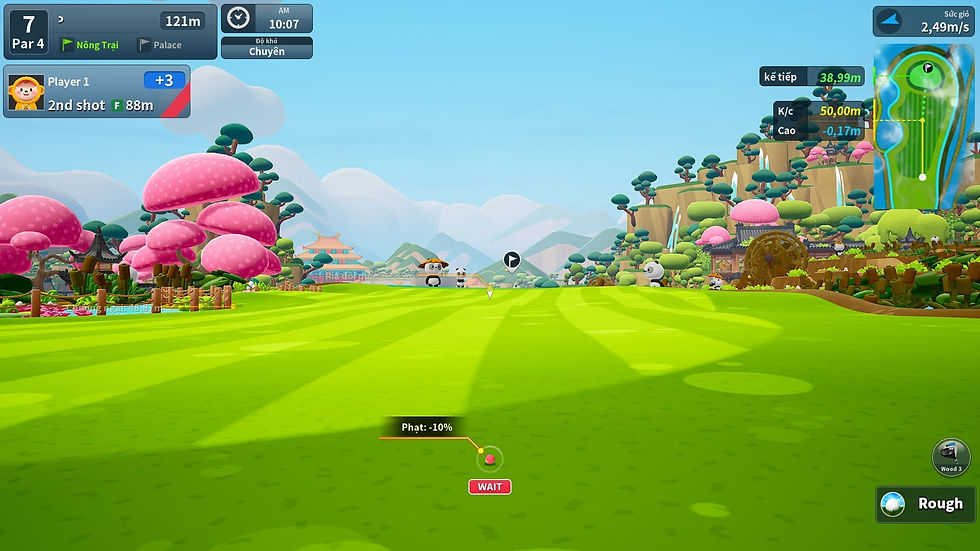


GTR Kids : Second Shot Gameplay Screen

Birdie Gameplay Screen
Bạn có thể thực hiện các cài đặt chi tiết khác
nhau của trò chơi.

PAR Gameplay Screen
Eagle Gameplay Screen
You can easily check your real-time score at any
point during gameplay.
Detailed Play Information : Displays a wide range of performance data, including fairway accuracy and
Greens in Regulation (GIR).
Màn hình chơi game GTR KIDS:
Nổi bật với các nhân vật và nhạc nền được trẻ
em yêu thích.
.jpg)
%20(1).jpg)
GTR Park Golf is a next-generation screen sports system designed for maximum accessibility, allowing anyone to easily pick up the game with
simple rules and a single specialized club—completely eliminating the need for complex gear. It delivers the vivid,
realistic feel of playing on an actual grass course within a cool, comfortable indoor environment, entirely free from weather worries.
GTR Park Golf là hệ thống thể thao màn hình thế
hệ mới, cho phép người chơi dễ dàng làm quen chỉ với một cây gậychuyên dụng và luật chơi đơn giản mà không cần trang thiết bị phức tạp; đồng thời mang lại cảm giác đánh bóng chân thực như trên
sân cỏ thực tế trong không gian mát mẻ, dễ chịu trong nhà mà không lo ngại thời tiết.
GTR Park Golf is a next-generation screen sports system
designed for maximum accessibility, allowing anyone to
easily pick up the game with simple rules and a single
specialized club—completely eliminating the need for
complex gear. It delivers the vivid, realistic feel of playing
on an actual grass course within a cool, comfortable indoor
environment, entirely free from weather worries.

Freely choose between Practice Mode and Game Mode.
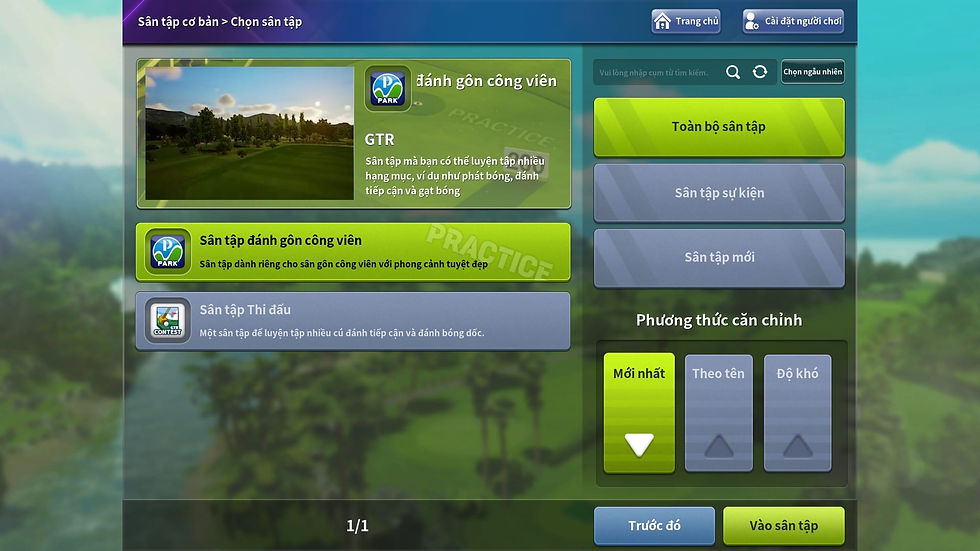
Please select a driving range.

Please select a golf course.
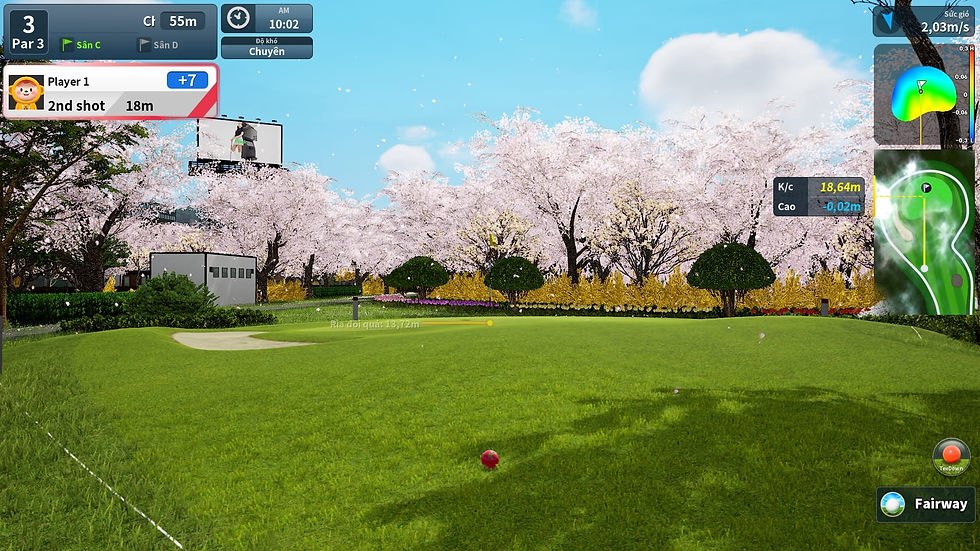
GTR PARK Golf : Second Shot Gameplay Screen
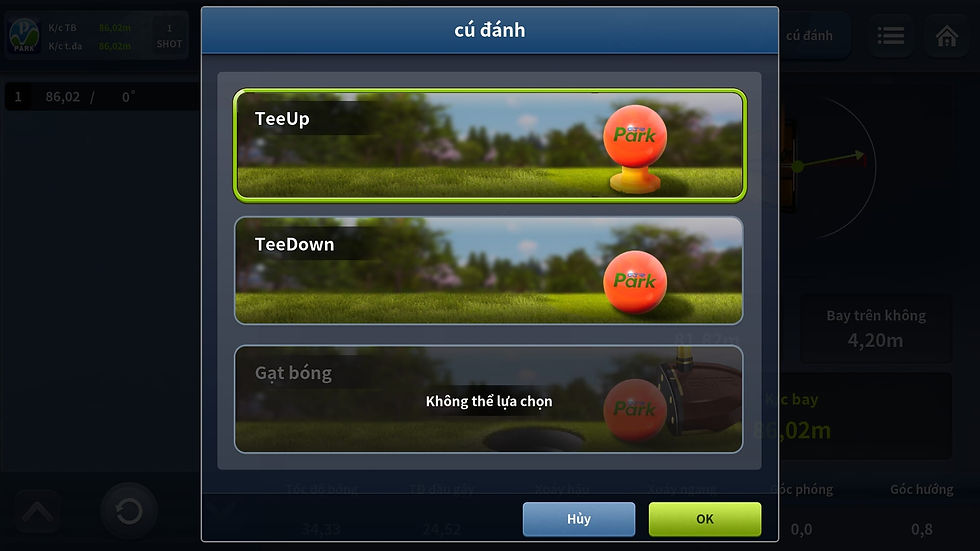
Play from Tee or Mat
Practice & Room Mode


Please select a program : PRO, KIDS, or PARK.
Detailed Range Settings

You can fully customize your experience with a wide range
of detailed game settings.

Green Play Screen : Features a convenient grid overlay for effortless reading.

Displays swing analysis data alongside high-speed
motion camera footage.

Practice Mode : Freely choose between the driving range and a variety of engaging practice games.

Practice Game Screen
GTR PARK Golf : Korea-Themed Gameplay Screen

Birdie Gameplay Screen
Detailed Play Information: Displays a wide range of
performance data, including fairway accuracy and
Greens in Regulation (GIR).